June 13th, 2026
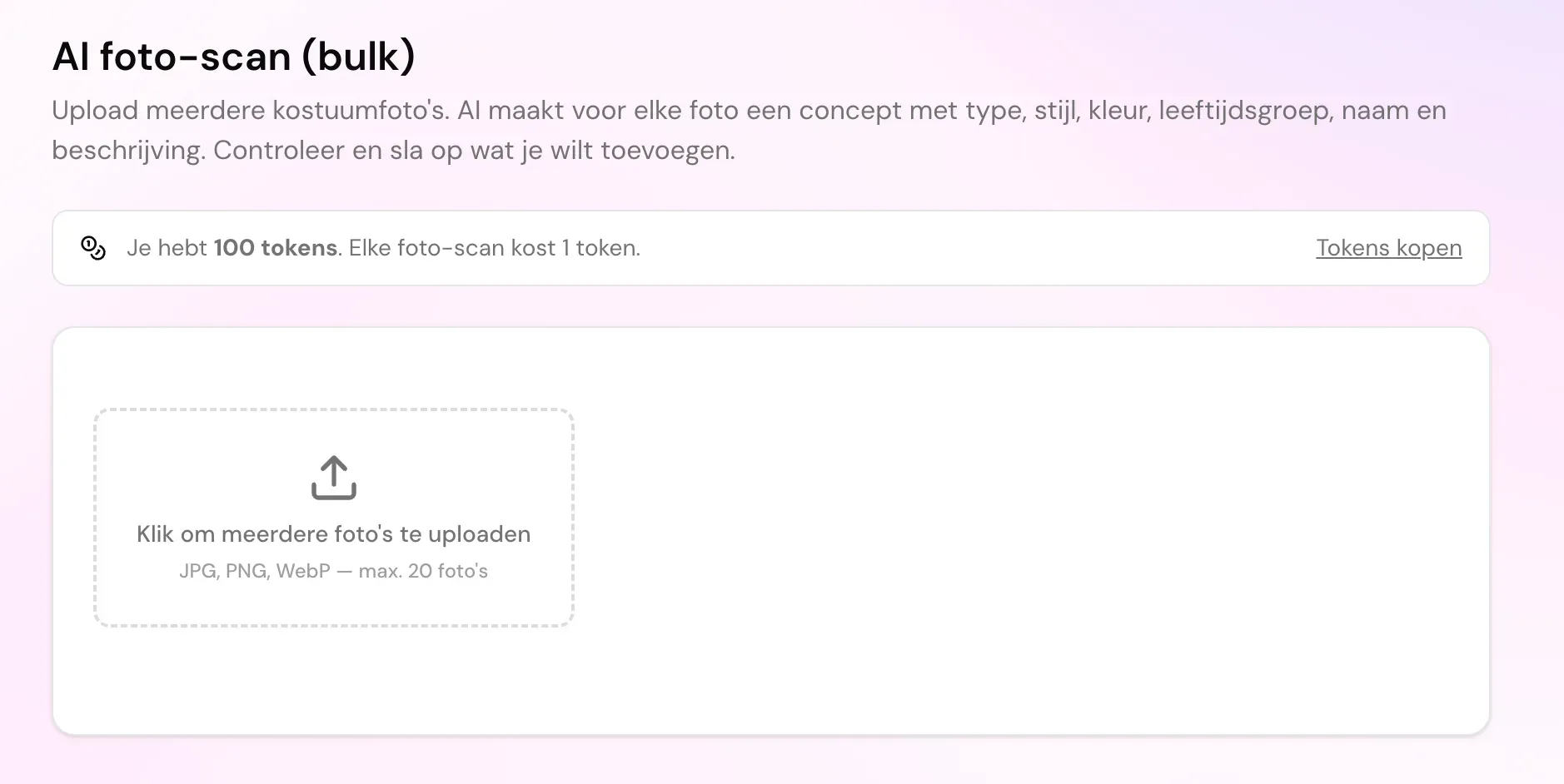
Deze week lanceren we de grootste tijdsbesparende functie tot nu toe: automatische kostuumherkenning met AI. Een foto maken volstaat, onze AI vult de rest in.
Kostuums toevoegen in een fractie van de tijd
Klik je op "kostuum toevoegen", dan kun je nu meteen een foto uploaden. De AI herkent automatisch de naam, het type, de stijl, de kleur, de leeftijdsgroep én schrijft een beschrijving. Jij controleert alleen nog even en slaat op.
Hele rekken in één keer scannen
Heb je tientallen kostuums? Met de nieuwe bulk-scan upload je in één keer meerdere foto's. Elk kostuum wordt automatisch als concept opgeslagen, met een duidelijke voortgangsbalk zodat je ziet hoe ver de verwerking is. Daarna controleer je de concepten rustig en publiceer je ze in één klik, allemaal tegelijk of stuk per stuk. Concepten blijven verborgen voor je publieke galerij en marktplaats tot je ze zelf vrijgeeft.
Eerlijk en transparant tokensysteem
De AI-scan werkt met tokens: 1 token per gescand kostuum. Elke organisatie krijgt 5 gratis tokens om de functie vrijblijvend uit te proberen. Extra tokens koop je veilig bij in pakketten via Stripe, met staffelkorting bij grotere aantallen. Je saldo en transactiegeschiedenis vind je terug op je nieuwe tokenpagina.
Bestaande lijst? Importeer 'm gewoon
Beheer je je kostuums nu in Excel of een ander programma? Met de nieuwe import-functie zet je je volledige inventaris in één keer over. Geen handmatig overtypen meer upload je bestand en je collectie staat klaar.
Probeer het vandaag nog
Ga naar je inventaris, klik op "kostuum toevoegen" of "AI-scan", en ervaar zelf hoeveel sneller je je collectie digitaliseert.
May 13th, 2026
Ledenbeheer
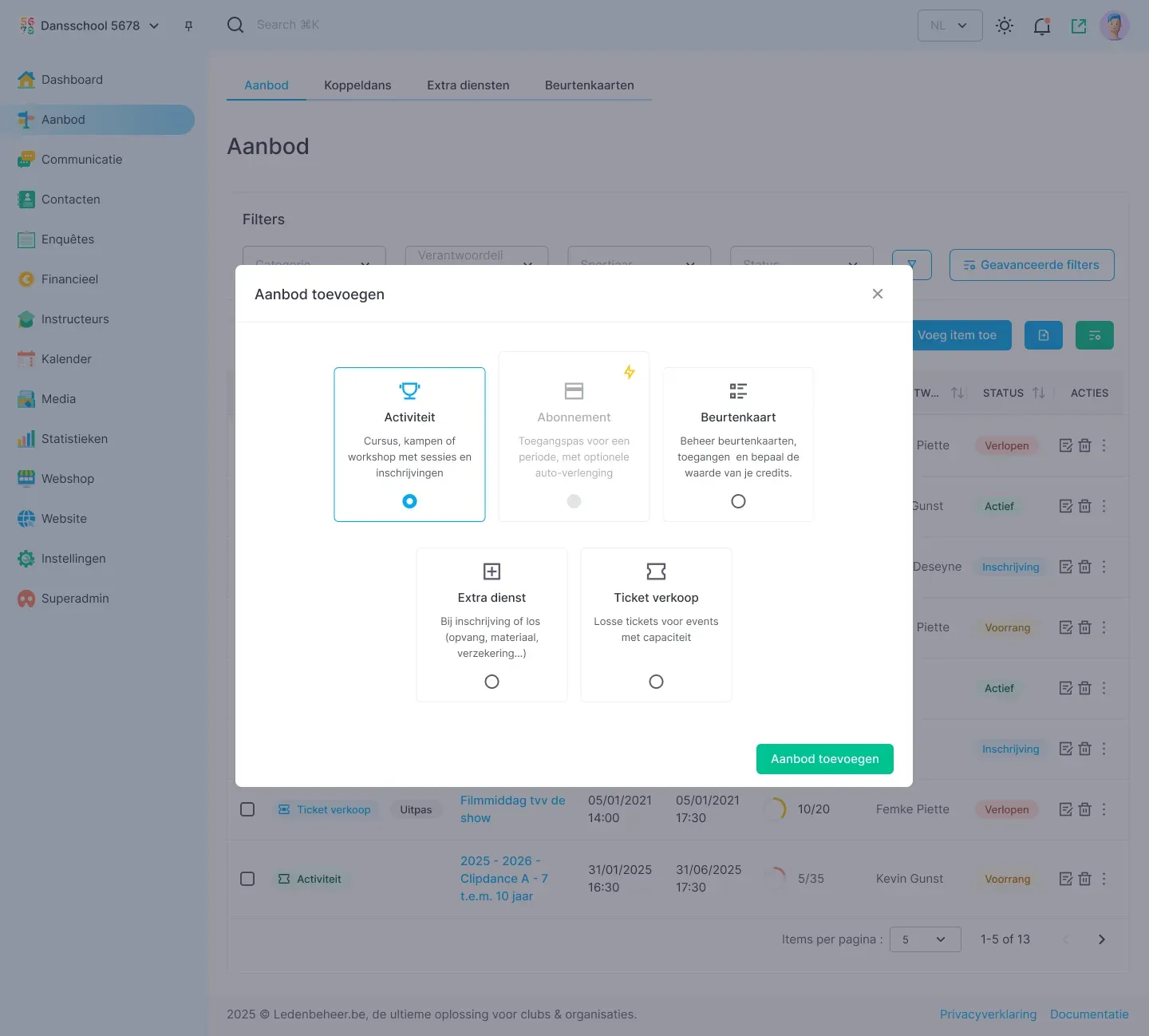
In Ledenbeheer 2.0, everything related to your offerings is brought together in one central location. This makes management clearer, more logical, and easier to use.
Weekly classes and additional activities
From version 2.0 onward, courses and additional activities are grouped under “Activities”. This gives you one clear structure to work from.
Subscriptions (planned for later in 2026)
Subscriptions will also be added to this new workflow at a later stage. More information will follow.
Everything related to your offerings in one place
Passes, additional services, and ticket sales will all have their own place under “Offerings”. You will no longer need to work in several different areas of the platform.
March 16th, 2026
Ledenbeheer
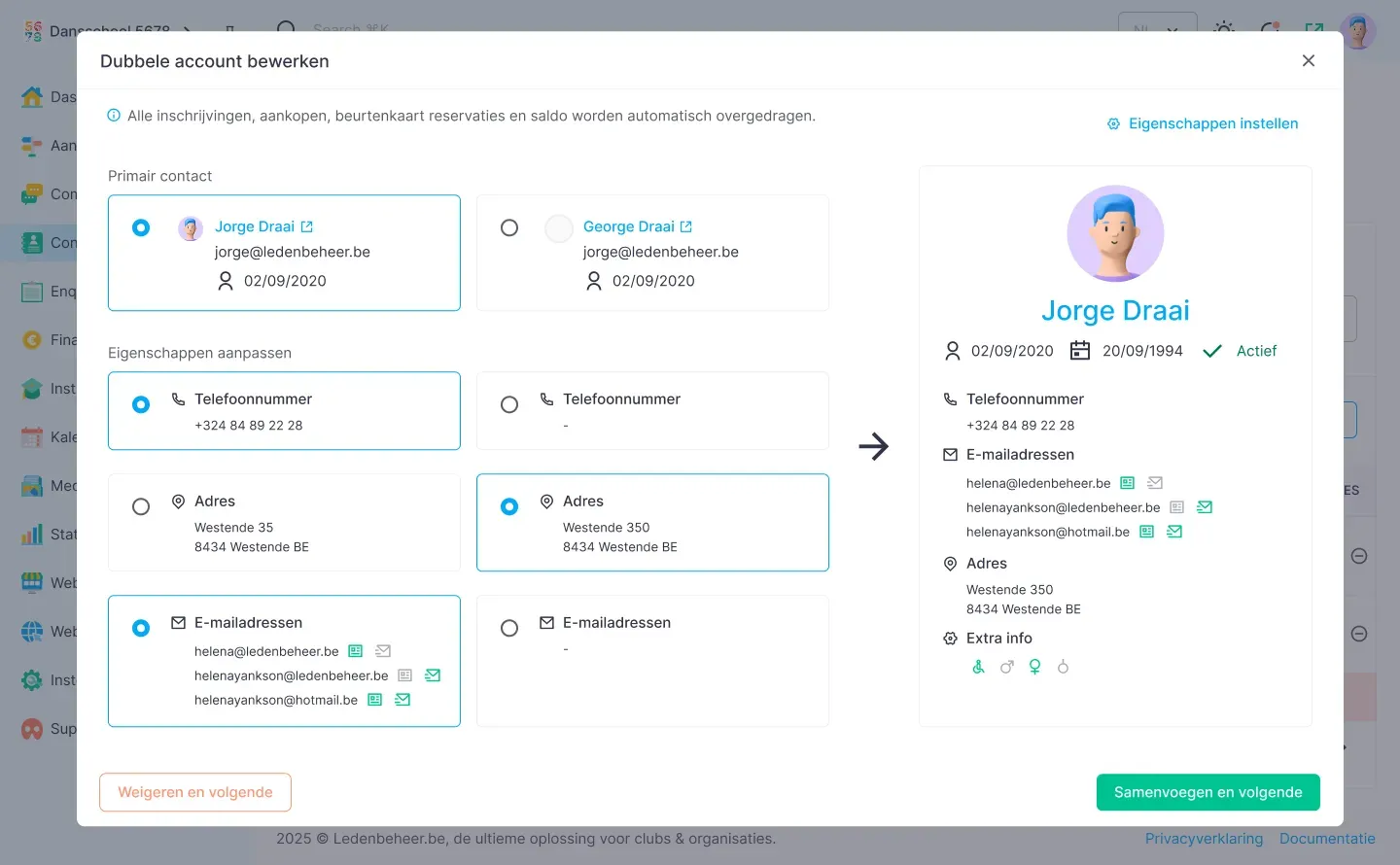
We have not only made it easier to merge duplicate contacts, but also introduced more than ten improvements to prevent duplicate contacts from being created in the first place.
Some examples:
Better checks when creating contacts
Separated parents can now be linked to the same child
Parents with multiple accounts can link those accounts together
…and many other improvements that help keep your contacts tidy and well organized.
March 5th, 2026
DanceVault
Update maart: bulk bewerken, e-mail meldingen + Combinatie van op bestelling en in voorraad
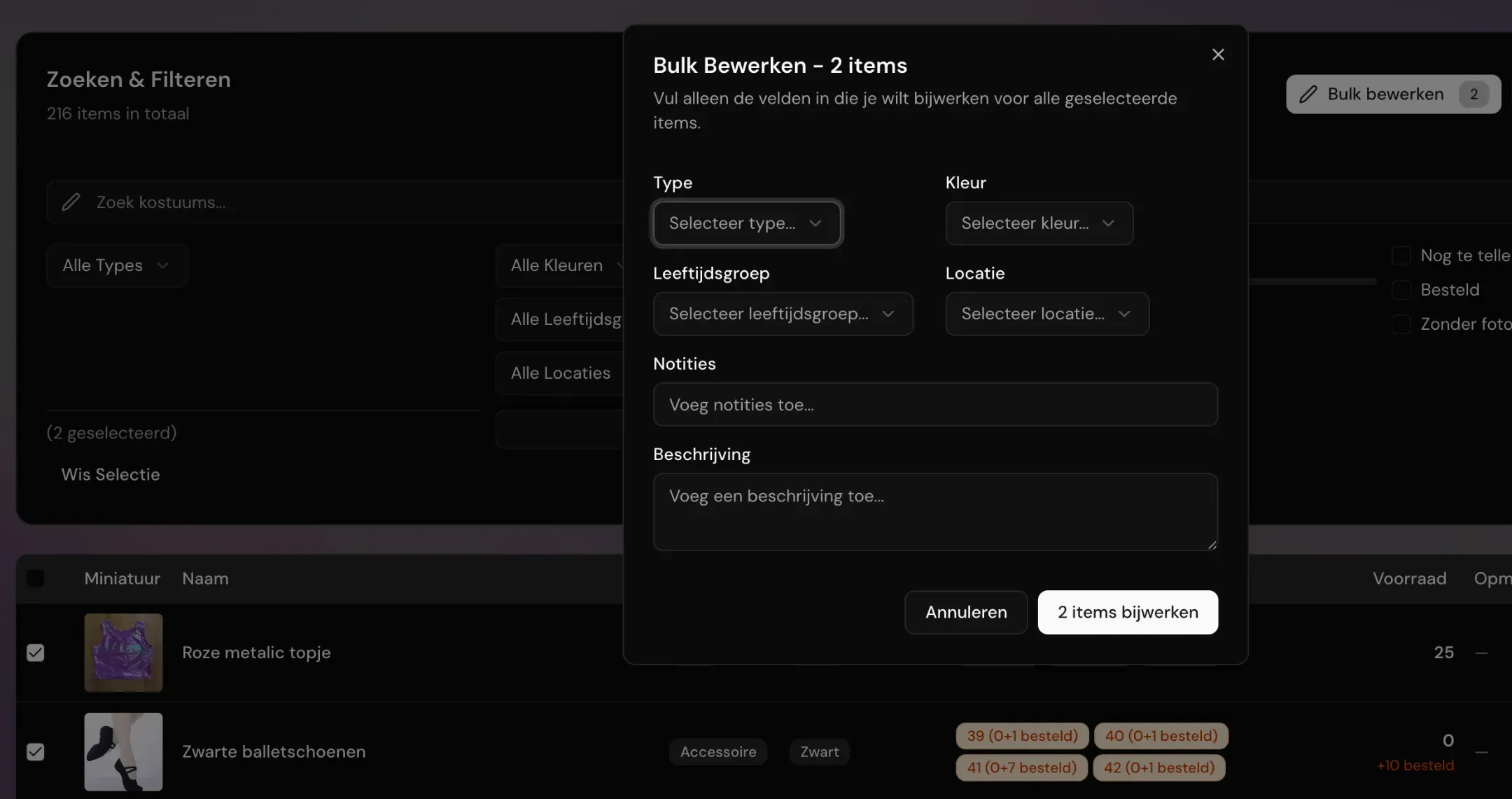
Bulk bewerken van producten
Duid meerdere producten aan met de checkbox voor het product en kies bovenaan voor "bulk bewerken", hiermee kun je meerdere items in 1 keer bewerken.
E-mail meldingen
Via het menu ‘Instellingen > Mijn club’ kun je e-mailmeldingen inschakelen wanneer een docent kledij wil reserveren. De docent ontvangt daarnaast ook een melding bij goedkeuring of afkeuring van de aangevraagde kledij voor een voorstelling.
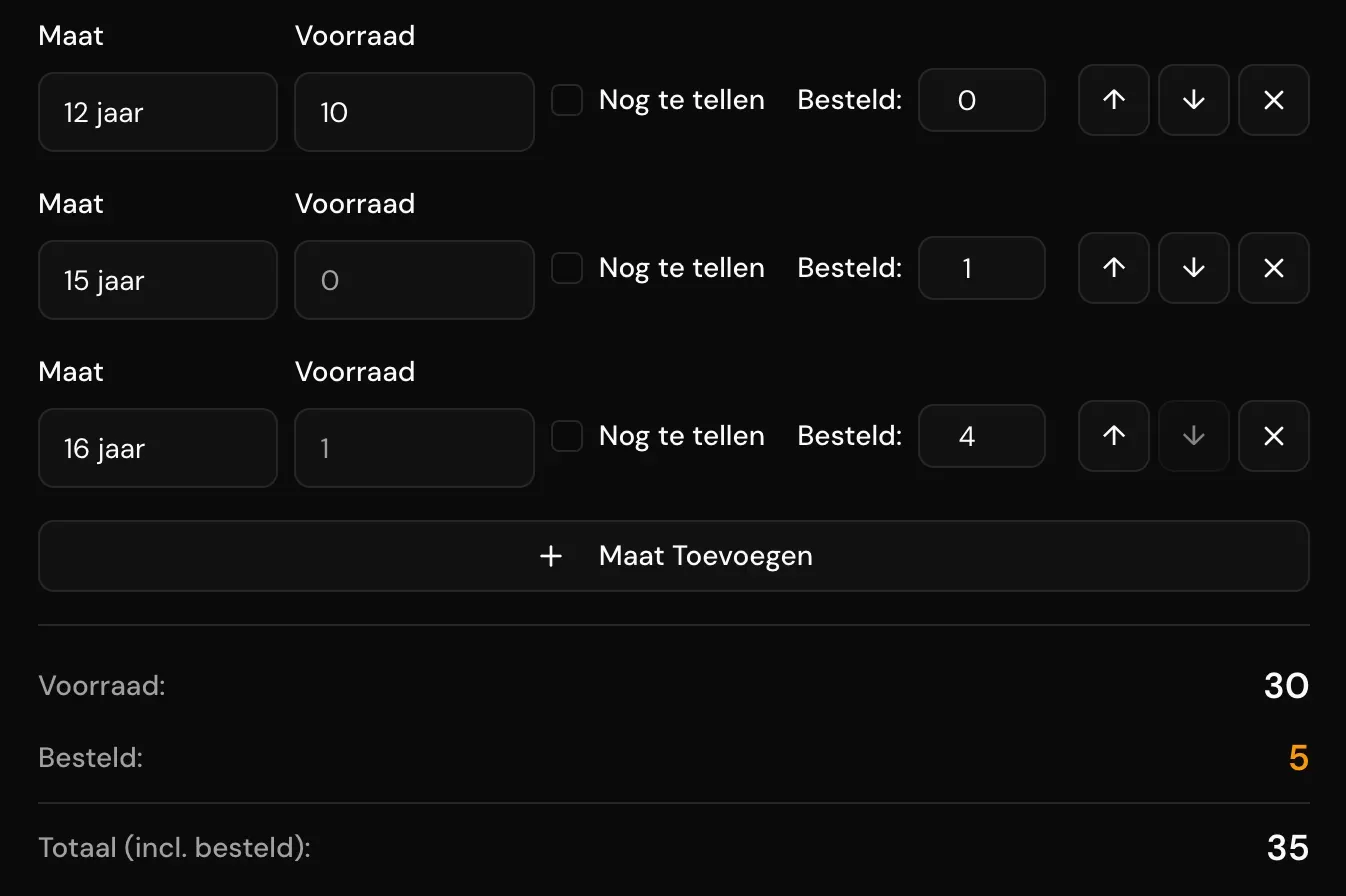
Bestelde stock vs reeds in voorraad
Voorheen kon je enkel aanduiden of een item in stock was en via een checkbox aangeven of er besteld werd, zonder zicht op de exacte aantallen in stock of in bestelling.
Nu kun je de reeds aanwezige stock opsplitsen van de bestelde stock.
Daarnaast kun je nu ook de volgorde van de maten aanpassen, wat handig is wanneer je later een extra maat toevoegt.
Kies je eigen filters
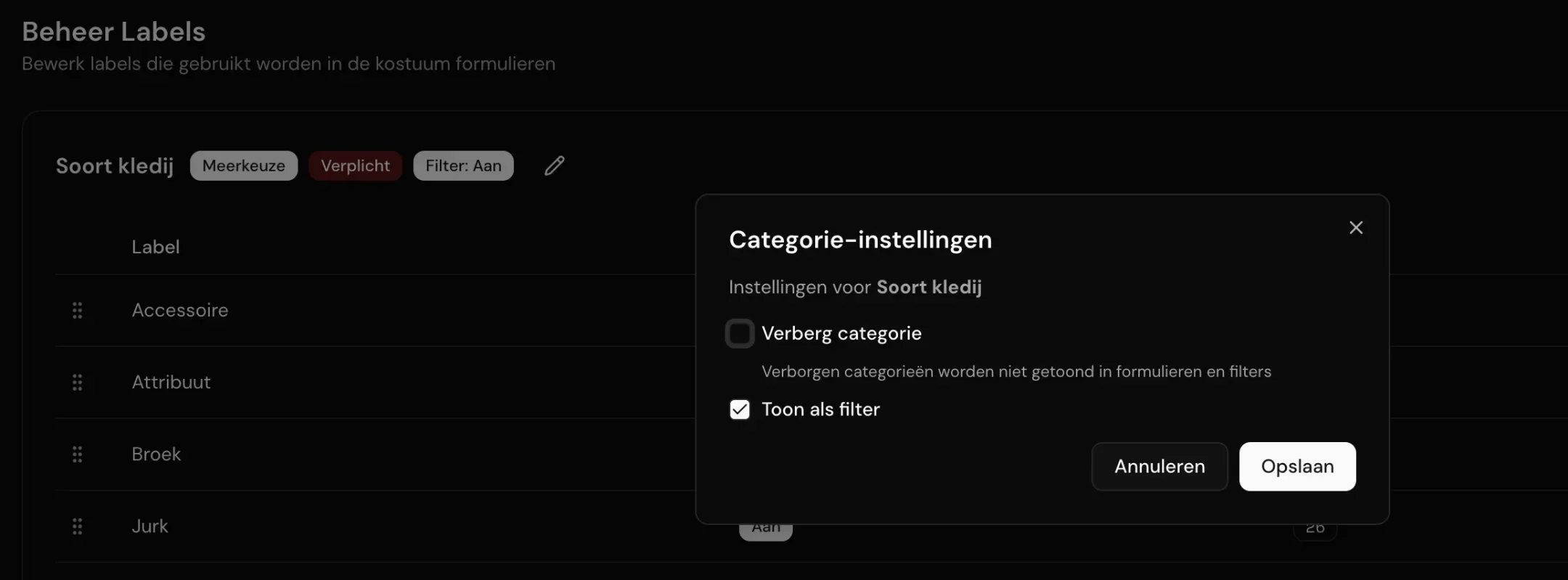
Via het menu "instellingen > labels", kun je nu zelf kiezen of een bepaalde categorie in je filters moet komen of niet.
Je kunt nu ook standaard categorieën die je niet gebruikt verbergen.
February 27th, 2026
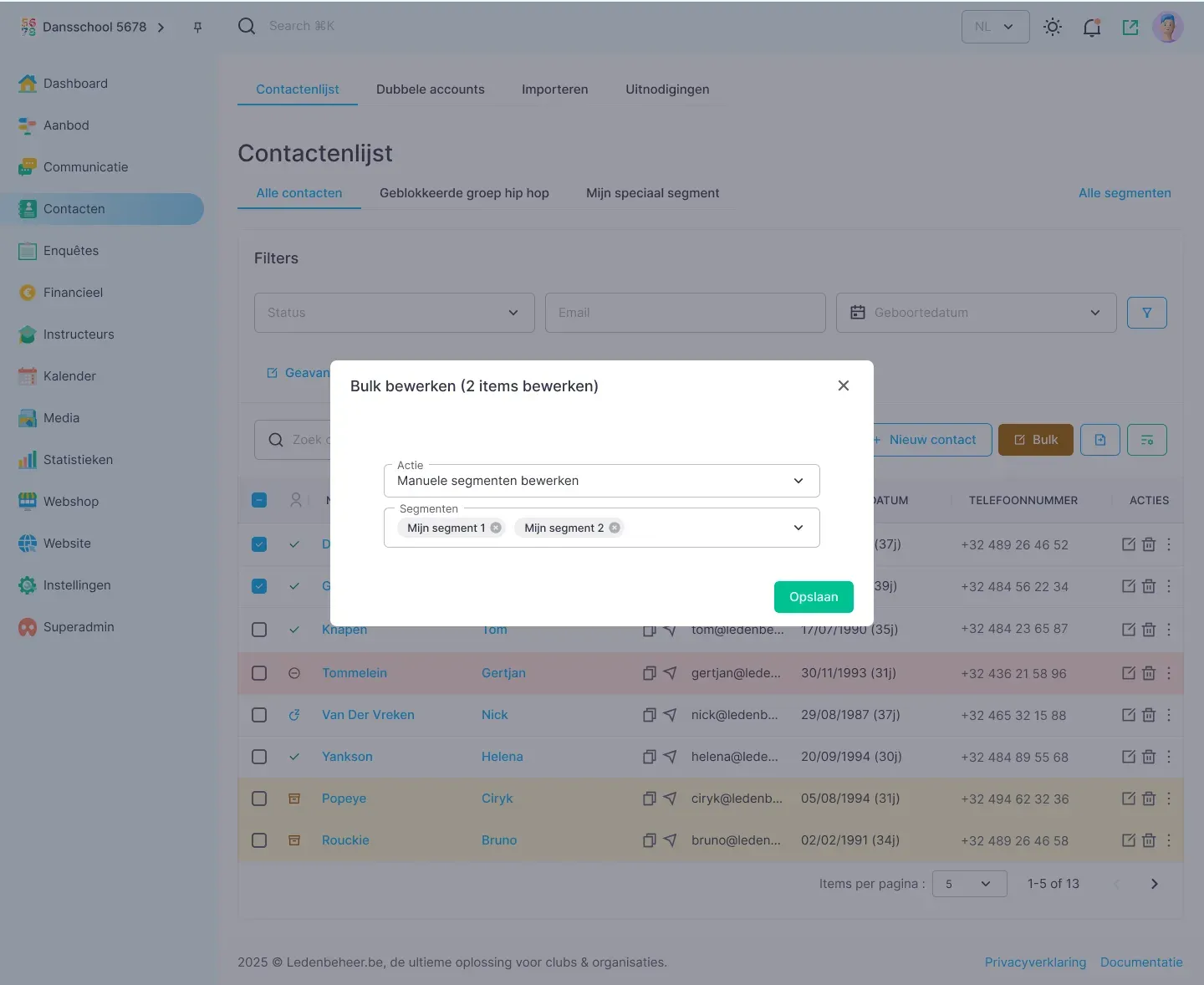
Edit multiple contacts at once? No problem!
No more opening profiles one by one.
In Ledenbeheer 2.0, you can now edit contacts in bulk.
This means updating multiple members at once in a single action.
No more opening individual profiles.
No endless repetition.
Just one smart selection and one targeted change.
It is like giving an entire row of dancers a new outfit at once instead of sending everyone to the changing room separately.
What can you do?
Change contact groups and segments
Update membership status
Fill in or change custom fields
Add tags
Manage target groups using filters
Top up, extend, or reduce passes
Top up account balances
...
What used to take an hour of clicking now takes only minutes.
More efficiency. Fewer errors. More time for your club.
That is Ledenbeheer 2.0.
February 25th, 2026
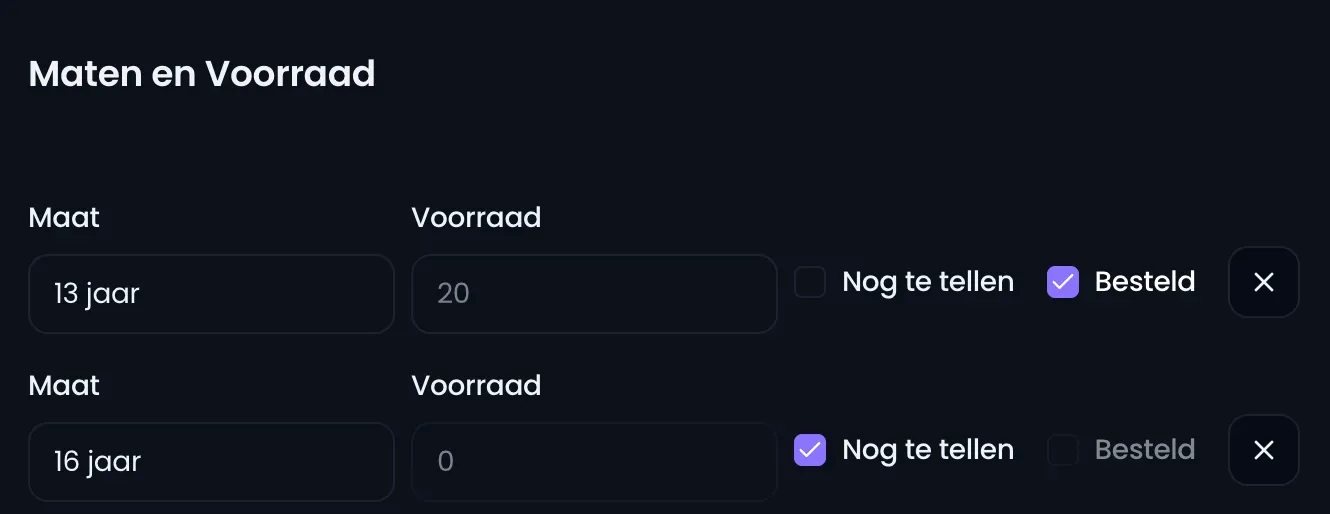
Bestelde stock nu nóg makkelijker beheren
Tot nu toe vulde je in Dance Vault je stock in per product zodra het effectief binnenkwam. Handig, maar het gaf geen zicht op wat er al onderweg was. Dat zorgde soms voor vragen als:
“Heb ik dit al besteld?”
“Wanneer telt die voorraad mee in mijn totaal?”
“Hoeveel komt er nog aan voor de volgende drop/collectie?”
Daar hebben we nu iets op gevonden.
Bestellingen markeren met een checkbox
We hebben een nieuwe checkbox toegevoegd bij je producten. Daarmee kan je nu ook stock ingeven die nog onderweg is.
Zo werkt het:
Je bestelt nieuwe producten bij je leverancier.
In Dance Vault vul je al de hoeveelheid in die onderweg is.
Je vinkt aan dat deze stock ‘besteld’ is (maar nog niet geleverd).
Zodra de producten effectief binnenkomen, haal je het vinkje weg.
Vanaf dat moment:
wordt die stock meegeteld in je totale voorraad
verschijnt ze ook correct in je inventaris
Met andere woorden: je krijgt zicht op wat je hebt, én op wat er nog aankomt.
Andere updates
De kolom ‘Locatie’ werd toegevoegd, de kolom ‘Voorraad’ werd verbeterd en de Engelse termen zijn verwijderd.
In de inventaris heb je nu ook de mogelijkheid om te filteren op locatie.
Laat het ons gerust weten als je graag nog aanpassingen of aanvullingen ziet.
February 21st, 2026
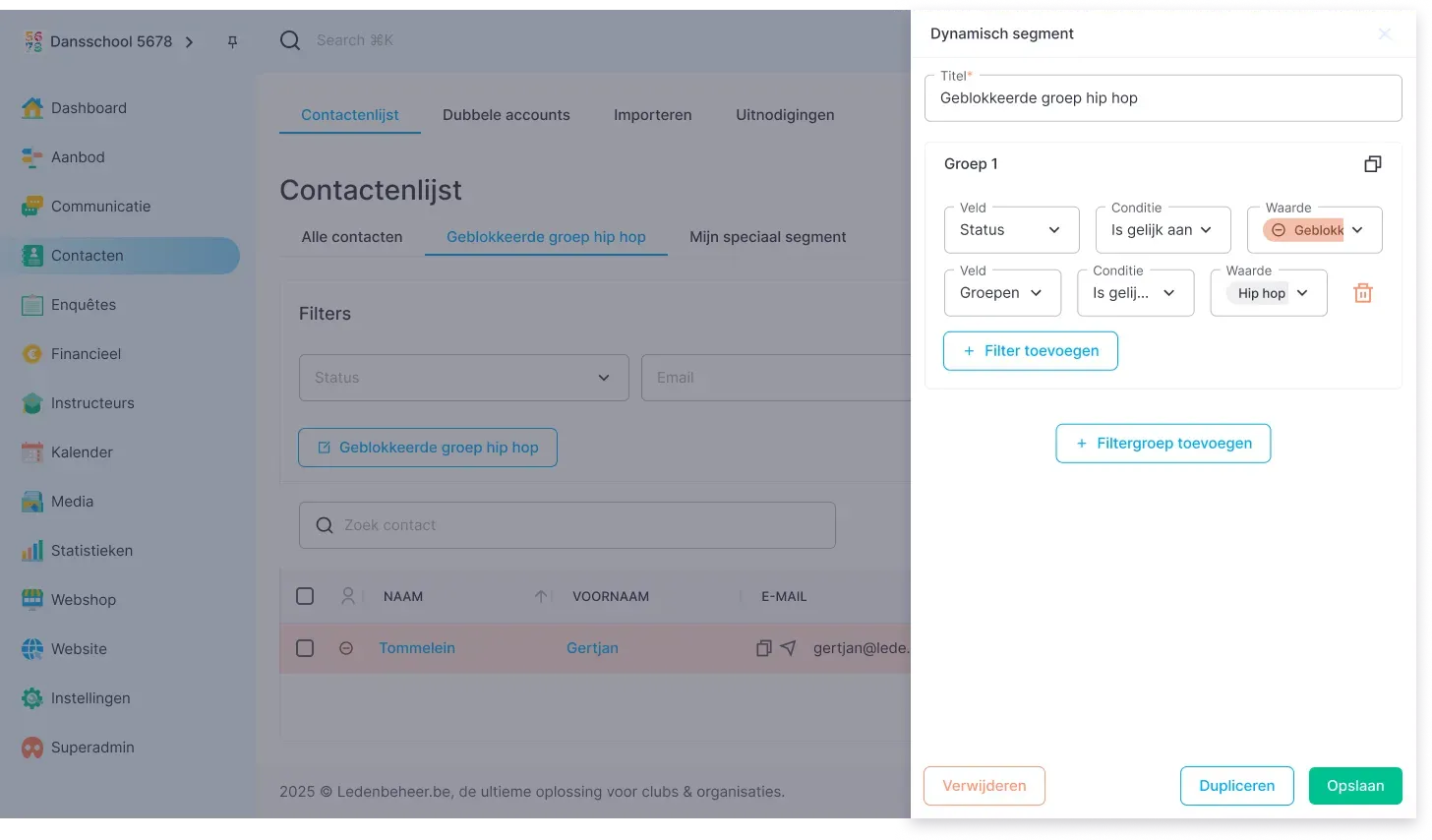
The contacts module has received a major upgrade. The result? Filtering now feels less like searching for a needle in a haystack and more like receiving the perfect pass at your feet. All you have to do is score. ⚽
What’s new?
✅ Filter by every field in a contact profile
✅ Combine filters with data from registrations, orders, and more
✅ Create smart combinations across different fields
✅ Use AND and OR together in the same filter
✅ Build complex segments without technical knowledge
✅ Save your filter as a segment and reuse it whenever you want
Built a useful filter? Save it as a segment with one click. Next time, simply select the saved segment from the list. No more rebuilding filters—just efficient reuse.
The guesswork is gone too. Where you previously had to wonder whether the sports year was written as 2025-2026, with or without spaces, you can now select sports years from a clear dropdown. Less frustration, better flow. 🏃♂️
For example, you can filter for:
Members from Lichtervelde AND registered for a camp in 2026 OR a camp in 2025.
You can now do this with a single filter.
Segmentation is faster, more powerful, and much more logical. Fewer clicks, more control. 🎯
February 14th, 2026
Ledenbeheer
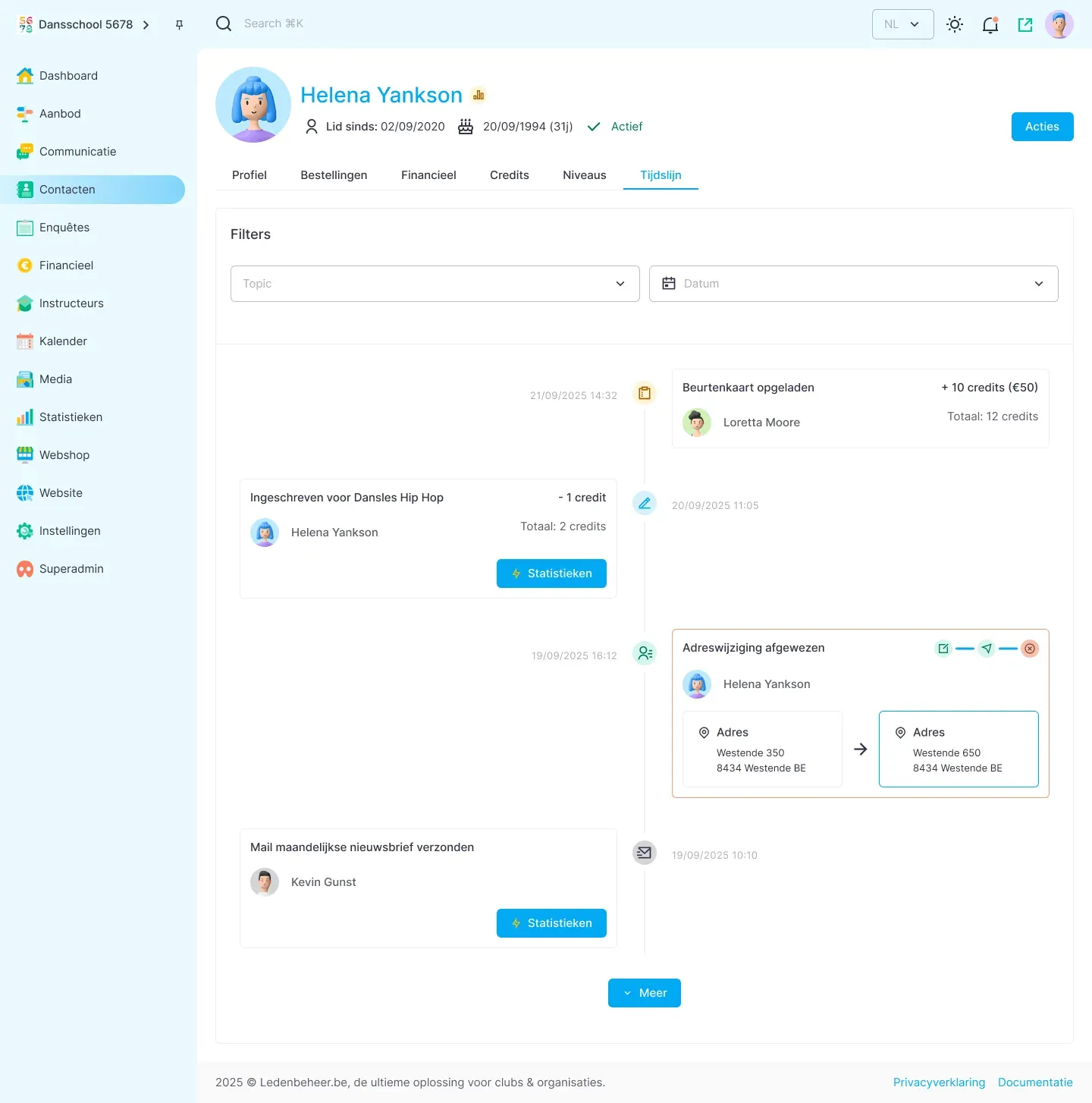
In Ledenbeheer 2.0, every contact profile gets its own timeline.
No more separate puzzle pieces spread across different tabs. Instead, you get one clear overview of everything related to that contact.
The timeline includes:
📅 Registrations and cancellations
🛒 Orders
📧 Sent emails, including their status (opened or not)
💰 Balance top-ups
🎟️ Purchased passes
🔄 Important actions, changes, and profile updates
Everything is arranged chronologically, so you can see at a glance what happened and when.
Ideal for questions at the front desk, payment discussions, or simply getting context quickly. Open the profile and the full story unfolds automatically.
February 7th, 2026
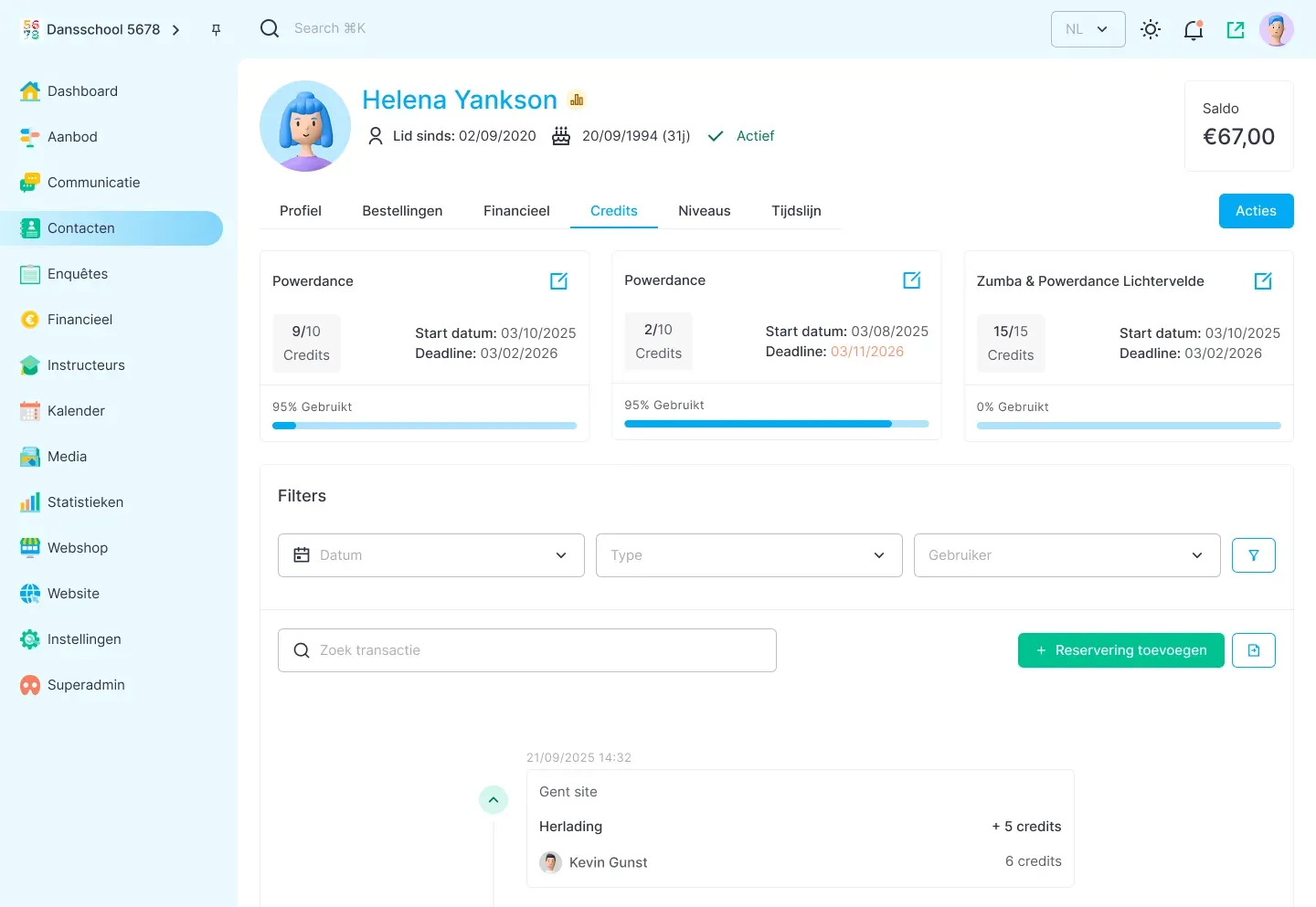
Passes have been completely redesigned in Ledenbeheer 2.0. Account balances and passes are now fully separated.
Passes no longer use a monetary balance, but credits. A 10-session pass therefore contains 10 credits. Whenever a member books a session or is marked as present, one credit is deducted automatically.
Another change is that passes no longer apply per family, but per user. Each user has their own pass or passes and their own credits, providing a clearer overview and more accurate tracking.
The focus is on transparency and clarity: at a glance, you can see how many credits remain and when they expire.
Each top-up also becomes a separate pass, so the distinction between old and new passes always remains clear.
Bookings, cancellations, and extensions can now be managed directly from the member’s profile. A transparent activity log clearly shows who performed each action.
February 2nd, 2026
Improved
Ledenbeheer
Deleting a mandate
When you manually delete a mandate under Finance > Installment payments, the invoice is returned to the overdue invoices list.
Automatic mandate deletion
If a customer misses a payment for two consecutive months, regardless of the reason, the mandate is deleted automatically and the invoice is returned to the overdue invoices list.
Payment reminders for installment plans
You can now send a payment reminder for overdue invoices that were payable in installments. The reminder includes a link to reactivate the direct debit. The amount due equals the total of all overdue installments.
For example, someone who is three months behind must pay three monthly installments at once to reactivate the direct debit.
After that, direct debits continue according to the repayment schedule.
Chargebacks versus other reasons for direct debit failure
We now retrieve Mollie’s reason for every failed payment. Depending on the reason, the mandate may be deleted automatically and the invoices returned to the overdue invoices list. The overview below shows the reasons reported by Mollie and the action we take. If no action is listed, nothing is changed.
AC01 The IBAN is incorrect or unknown. Your customer may have entered their IBAN incorrectly. You should ask your customer to confirm if the IBAN is correct. > mandate is deleted
AC04 The account holder has closed the account. You should ask your customer for the bank account details of a different account.
schrap > mandate is deletedAC06 Direct debit is not allowed on this bank account. You will not be able to receive direct debit transactions from this account. You should ask your customer for the bank account details of a different account. > mandate is deleted
AG02 Transaction information is incorrect. For example, you may have indicated that the transaction is a first payment (FRST) instead of a recurring payment (RCUR). Another possibility is that you didn’t use a unique mandate reference. You should resubmit the transaction with correct information.
AM04 There’s insufficient funds in the customer's bank account. This can sometimes be indicated with reason code MS03. You can try the direct debit again or contact your customer.
MD01 The mandate is invalid. There are several reasons why a mandate could be invalid:
The transaction was recurring (RCUR), but there was never a first transaction (FRST). The mandate expired after 36 months.
There’s no mandate. You can resubmit the direct debit as a first transaction or contact your customer to create a new mandate. > mandate is deletedMD06 The direct debit has been reversed. This a chargeback and is possible within 8 weeks of the direct debit date. If you don't know why the payment was reversed, contact your customer about it. > mandate is deleted and a fee is charged
MD07 Your customer has passed away. You should cancel any future direct debit transactions. This can sometimes be indicated with reason code MS03. > mandate is deleted
MS02 Your customer declined the direct debit transaction before it was processed. If you do not know why they declined the transaction, contact your customer. Make sure they know about the amount and reason for the direct debit to prevent this from happening again in the future.
MS03 MS03 can be used for multiple reasons that already have another reason code, such as insufficient funds (AM04). We recommend that you contact your customer to understand what happened to the transaction.
SL01 The bank refused the direct debit. Your customer's bank may refuse a transaction when the customer's daily limit has been reached or if direct debits from the account have been blocked. > mandate is deleted
Chargeback fees
The chargeback fee, configured under Settings > Payment options > Installment payments, is now charged only for genuine chargebacks. If a payment fails because the account has insufficient funds, the fee is no longer passed on to the customer.